The full comparison

Estimado AI vs. Handoff, SimplyWise, Xactimate, and Encircle.

Five tools. Five different workflows. The useful question is not who has more boxes—it is who owns the capture, what the capture produces, and which job the system is built to finish.

Estimado AIHomeowner or sales-team capture-to-close
HHandoffAI estimating + project operations
SSimplyWiseMobile photo-to-estimate
XXactimateProperty-claims estimating
EEncircleRestoration documentation
The capture-to-close rail
ScanMeasureVisualizeEstimateClose
The quick version

Five products, built around five different centers of gravity.

There is real overlap: several tools estimate, measure, render, approve, or invoice. The separation becomes clear when you ask who performs the capture and what the workflow is designed to complete.

Estimado AI

Homeowner or sales-team capture-to-close

Handoff

AI estimating + project operations

SimplyWise

Mobile photo-to-estimate

Xactimate

Property-claims estimating

Encircle

Restoration documentation

The full breakdown

Feature by feature. Workflow by workflow.

Current public product information checked August 29, 2026. Partial marks indicate a related capability with a materially different workflow or output.

Capability
Estimado AI
Handoff
SimplyWise
Xactimate
Encircle
Homeowner-operated capture link
Yes
×No public workflow
×No public workflow
×No public workflow
×No public workflow
Contractor field capture
LiDAR scan
Photos + voice walkthrough
Photo or LiDAR Room Scan
Sketch + Sketch AR
Photos + 360 + floor plan
Measured room output
2D plan + navigable 3D
×No LiDAR spatial output found
LiDAR measurements
Graphical Sketch
Floor plan + sketches
Proposed-remodel image render
Geometry-connected render
×No public workflow
Image Render
Graphical property visualization
×No public workflow
Conversational remodel refinement
Iterative design changes
×No public workflow
Renders, but no public connected refinement flow
×No public workflow
×No public workflow
Detailed estimating
Capture + desired scope
AI estimate from descriptions and files
Photo-to-line-item estimate
Comprehensive repair estimate
Estimate-ready mitigation scope
Company pricing
Configured Pricing Profile
Custom rates + markup
Local data + user edits
Regional price lists + estimate controls
×Not a pricing platform
Client approval / signature
Visual approval + e-sign
Proposal approval
Estimate signature
Not a remodeling-sales core flow
Signed restoration documents
Automatic client follow-up
Text + email automation
AI client follow-up
×No recurring automation found
×No remodeling-sales automation found
Estimate-to-invoice
Connected pipeline
Proposal to invoice
Create invoice from estimate
Claims-centered product
×No remodeling invoice flow found
Restoration moisture documentation
×Not the product job
×Not documented
×Not documented
Mitigation estimating tools
Hydro, readings, maps, dry logs
Two-path homeowner or on-site workflow
Both paths
×Contractor-led
×Contractor-operated app
×Property professional-led
×Restoration field team-led
On-site sales session: scan → model → render → preliminary estimate
One homeowner-facing session
×No public connected workflow
Related scan, render, and estimate features; no public connected session found
×No proposed-remodel sales workflow
Primary job
Closing remodeling jobs
Residential estimating + operations
Fast mobile estimating
Property-claims estimating
Restoration loss documentation
Sources: Handoff, SimplyWise, Xactimate, and Encircle. “No public workflow” means it was not found in the reviewed current sources, not that an undisclosed capability cannot exist.

Two paths. One tool.

Work the lead from your office—or turn the site visit into the close.

Estimado gives remodeling contractors two ways to use the same measured capture, depending on the job and the homeowner.

Path 1 · The volume path

Send the link. Let the homeowner scan.

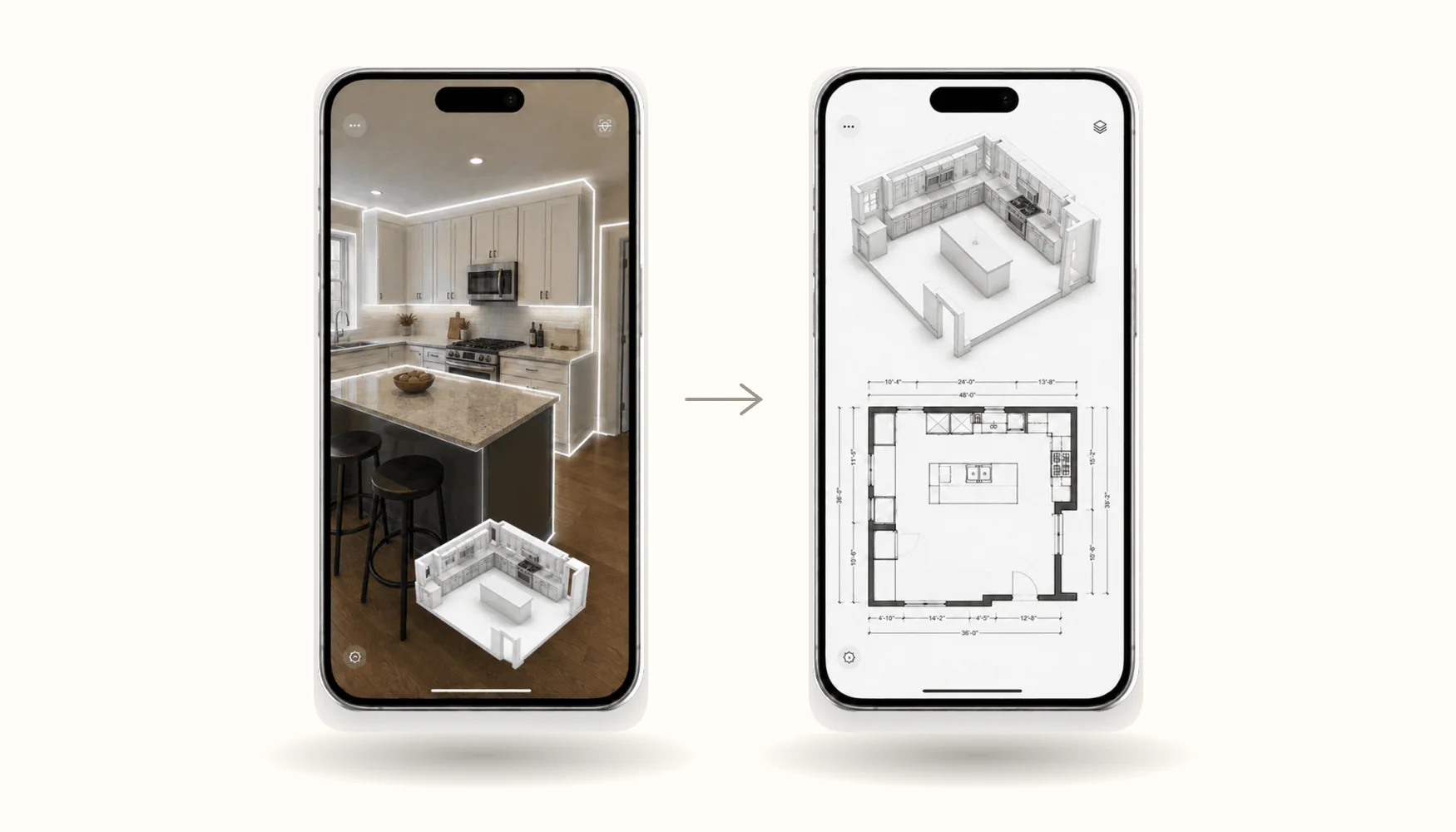
A lead comes in. You text one link. The homeowner scans the room and describes the remodel from their phone. Measurements, photos, a 3D model, a 2D plan, and the visual scope arrive in your dashboard.

Build and send the estimate from your office. Automatic follow-up takes it from there.

Best for high-volume lead flow
New lead
Here’s your Estimado room-scan link. It takes about five minutes.
Homeowner scanning a kitchen and returning measured 2D and 3D outputs
Homeowner captureMeasured outputs ready
Path 2 · The sales-team path

Walk in. Scan. Show the vision. Price it.

A sales associate meets the homeowner at the property and runs the full capture from a phone or tablet. The LiDAR scan measures the space while Estimado captures photos and creates the measured 2D plan and 3D model.

Together, they tell the AI what the homeowner wants, generate and refine the proposed-remodel render, then review a preliminary estimate using your company pricing—all before the visit ends.

The sales-associate path
  1. Meet the homeowner on site
  2. LiDAR scan + room photos
  3. Measured 2D plan + 3D model
  4. Homeowner explains the vision to the AI
  5. Generate the proposed-remodel render
  6. Refine the vision together
  7. Show a preliminary estimate with your pricing—in minutes
Best for closing in the room
AI visualization of a remodeled kitchen shown on a tablet
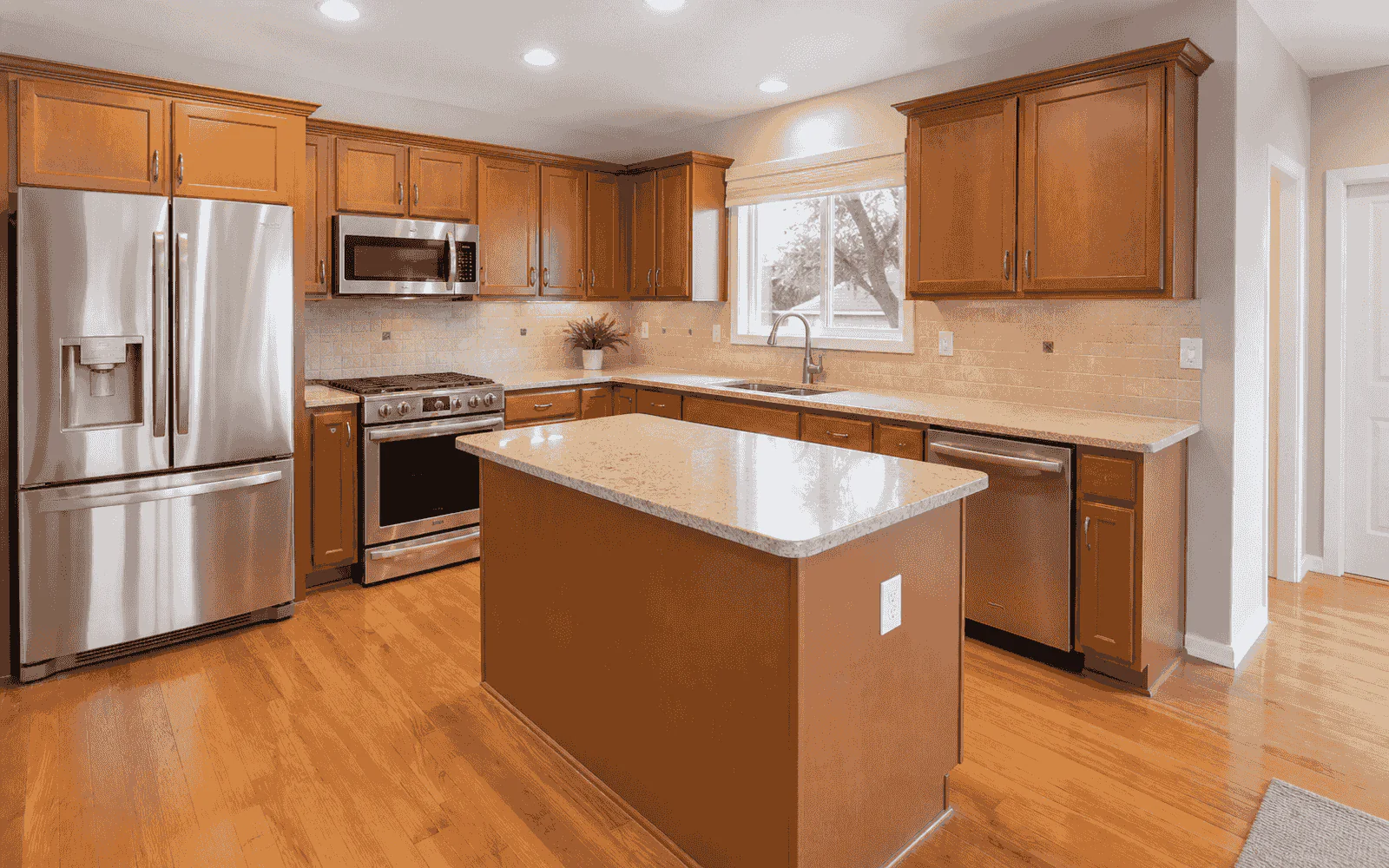
Kitchen before remodelingExisting kitchen
Proposed remodeled kitchenProposed remodel

Estimado is centered on both a homeowner-operated capture path and a sales-associate-led on-site path. The other products serve different workflows without publicly documenting that exact remodeling sequence. Among the current public workflows reviewed for these comparisons, we did not find another product connecting measured capture, 2D and 3D outputs, homeowner-guided rendering, and preliminary pricing in one on-site sales session.

What each tool is for

Choose the workflow that matches the job.

This is a fit decision, not a claim that every competitor does only one thing.

Handoff

AI estimating and connected project operations for residential construction teams, including proposals, change orders, invoices, and client follow-up.

SimplyWise

Mobile contractor estimating with photo-to-estimate speed, LiDAR Room Scan, Image Renders, approvals, and invoices.

Xactimate

Structural property-claims estimating with Sketch, Sketch AR, detailed repair costs, and regional pricing.

Encircle

Restoration field documentation with photos, 360 media, floor plans, Hydro data, signed forms, and AI mitigation scope.

Estimado AI

Homeowner or sales-team room capture connected to measured 2D and 3D outputs, proposed-remodel visualization, company pricing, follow-up, and invoice.

The real question

Which workflow do you need to finish?

Start with the job, not the product category.

Choose a specialist when

The workflow is already defined by the field job.

Each competitor has a credible center of gravity.

  • Handoff for AI estimating and contractor operations
  • SimplyWise for fast mobile photo estimating
  • Xactimate for property-claims estimating
  • Encircle for restoration loss documentation
Choose Estimado AI when

The capture needs to become the remodeling sale.

Estimado is centered on reducing unnecessary visits while giving the homeowner a measured, visual way to commit to the project.

  • Let homeowners self-capture before you drive
  • Let a sales associate scan, model, render, and price the job with the homeowner
  • Use the same measured source for 2D, 3D, and the proposed render
  • Carry the scope into pricing, follow-up, signature, and invoice
Questions before choosing

Clear answers, without the sales fog.

Does SimplyWise also use LiDAR and create image renders?

Yes. SimplyWise publicly documents LiDAR Room Scan on supported Pro iPhones and an Image Render feature. The material difference is that its current public workflow centers the contractor-operated app, while Estimado also supports homeowner-operated capture.

Does Handoff estimate and invoice?

Yes. Handoff currently documents AI estimates, proposals, project operations, change orders, invoices, payments, and client follow-up. Estimado’s distinction is not “estimating versus documentation”; it is the measured homeowner-or-sales-team capture and visual remodeling workflow.

Does Xactimate have AR measurement and 3D sketching?

Yes. Xactimate Sketch AR supports direct-to-Sketch measurements and Sketch creates graphical property representations for repair estimating. That is different from Estimado’s homeowner capture and proposed-remodel visualization.

Does Encircle create floor plans and AI scopes?

Yes. Encircle creates floor plans, sketches, moisture maps, and AI-generated estimate-ready mitigation scopes for restoration work.

Which tool is built around homeowner self-capture?

Among the current public workflows reviewed for this comparison, Estimado is the one centered on sending a room-capture link directly to the homeowner and carrying that measured source into the remodeling sales flow.

Can a sales associate run the entire Estimado workflow on site?

Yes. A sales associate can scan the home, capture photos, generate measured 2D and 3D outputs, talk with the homeowner and AI about the desired remodel, generate and refine the render, and present a preliminary estimate using the company’s Pricing Profile during the same visit.

See the full workflow

Capture the lead. Show the vision. Price the job.

Let the homeowner scan before you drive—or let your sales associate run the entire capture-to-preliminary-estimate session on site.

See Estimado AI on a real remodeling job.